
Iptv epg not working means the programme titles are missing, or they sit on the wrong hour. The channel can still be playing. On the television you actually watch, write down two facts before you change a setting: whether the picture is moving, and whether the grid has titles.
A programme guide is a list of names and start times. It travels separately from the video. Subscription, trial, and device activation for this service stay on iptv-buy.us. The player on the set displays the grid. The titles come with the subscription. Channel lists, prices, and device support can change, which is what the terms of use already say.
When iptv epg not working is only the guide
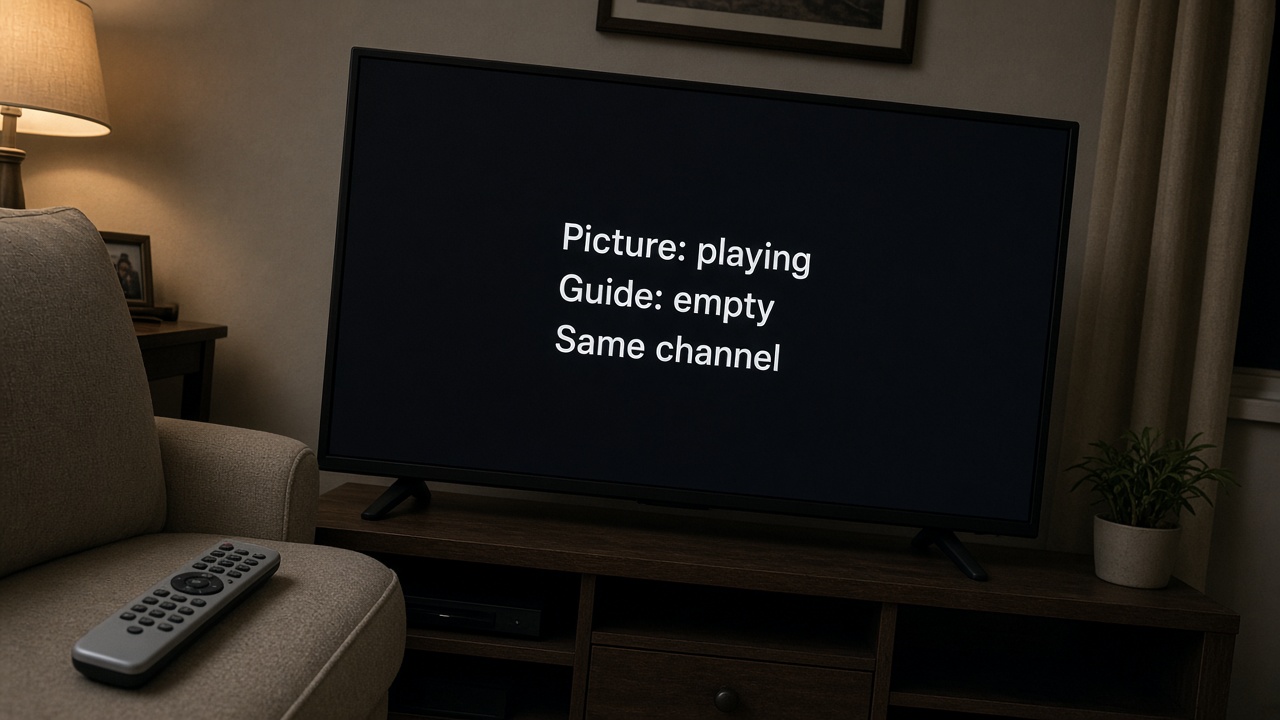
Picture moving, grid empty: the stream for that channel reached the set, and the titles did not. Leave the picture quality where it is. This check is about names and hours.
If the picture stops and comes back on an even gap, that is a different fault. Time those gaps with the buffering clock instead of clearing titles that were never the problem.
Use one channel you know by name. When the picture is a broadcast you can identify, such as a news hour, compare that title row with the clock in the room. A grid full of yesterday's names is a stale load. An empty grid is a load that brought no names. Write which of the two you see.
The grid and the titles come from different places
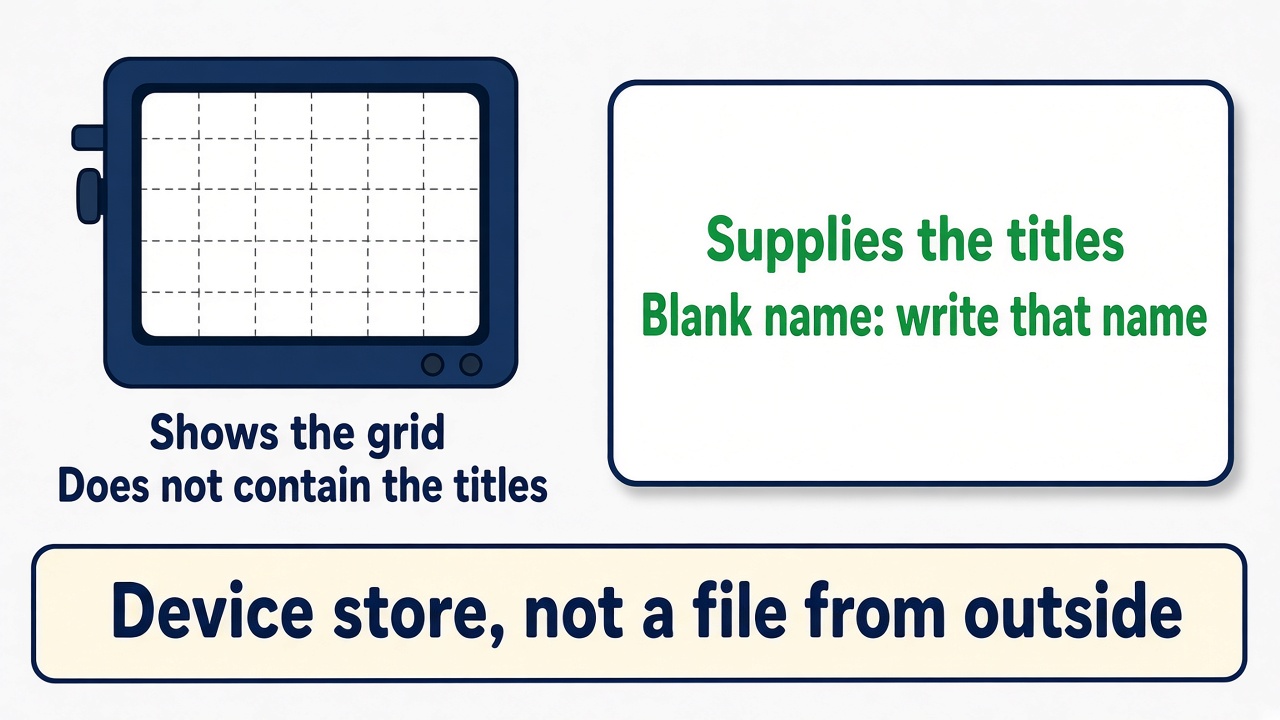
The app draws the rows. The evening's programmes are supplied with the subscription and then loaded into that app. Updating the player from the store on that device replaces the app. A title the subscription left blank stays blank after the update.
Install and update that player from the store that belongs to the device. Fire TV, Android TV, Samsung and LG sets, Apple TV, and phone players are the families named on this site, and device support can change. If the player you already use has no guide screen, skip the missing screen. Leave aside any install file offered outside that store.
Shift one example hour, then stop
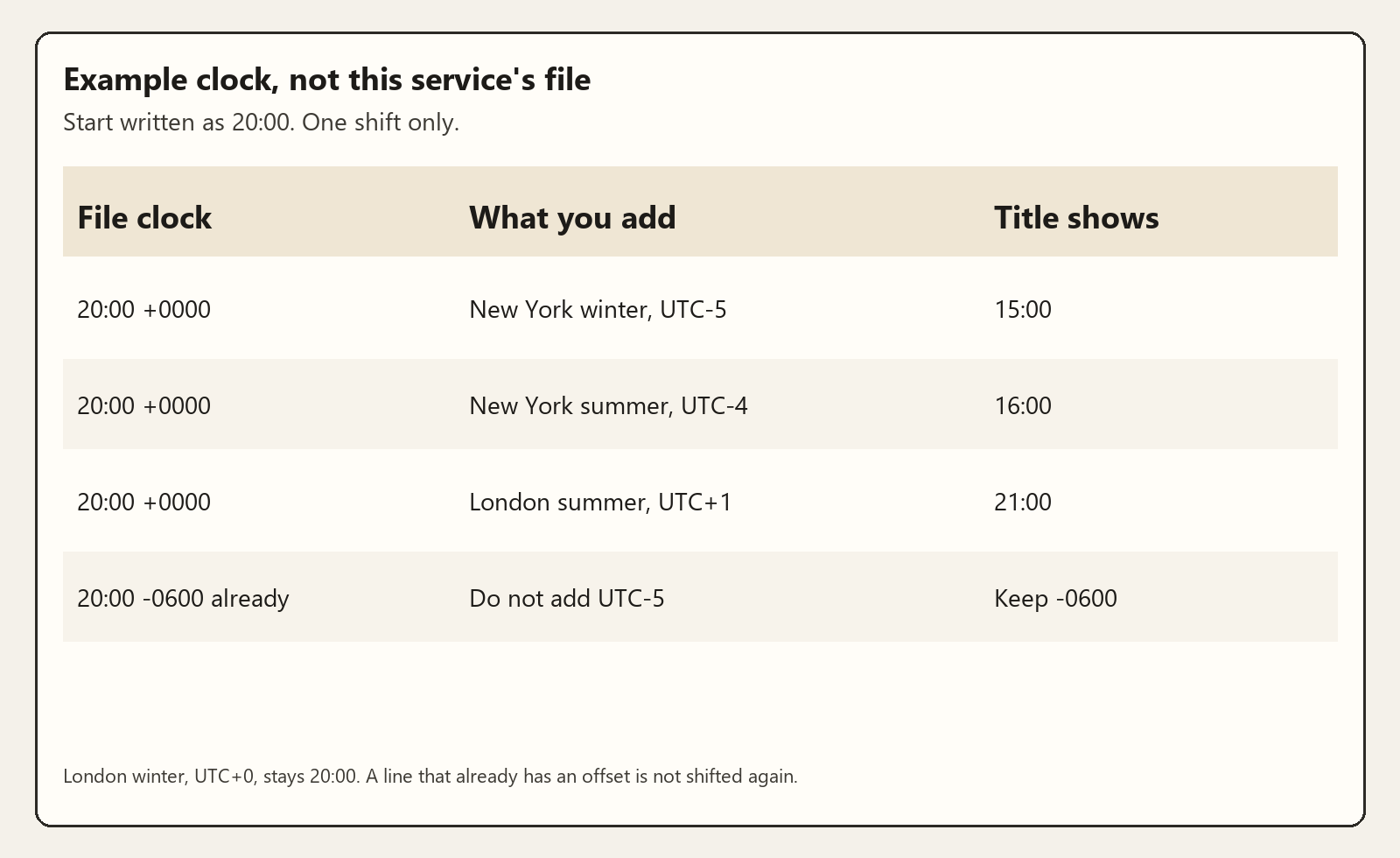
Guide files written as XMLTV store each programme start as an attribute, and that attribute can already include an offset. The format description shows a sample start of 20080715003000 -0600. That 2008 line is on the XMLTV format page. It is not a listing from this service, and the programme names in that sample are not yours.
One example keeps the direction straight. A start written as 20:00 with offset +0000 is 20:00 UTC. London in winter, UTC+0, stays at 20:00. The same example hour moves only when the household zone is applied once:
| File clock (example) | What you add | Title shows |
|---|---|---|
| 20:00 +0000 | New York winter, UTC-5 | 15:00 |
| 20:00 +0000 | New York summer, UTC-4 | 16:00 |
| 20:00 +0000 | London summer, UTC+1 | 21:00 |
| 20:00 -0600 already | Do not add UTC-5 | Keep -0600 |
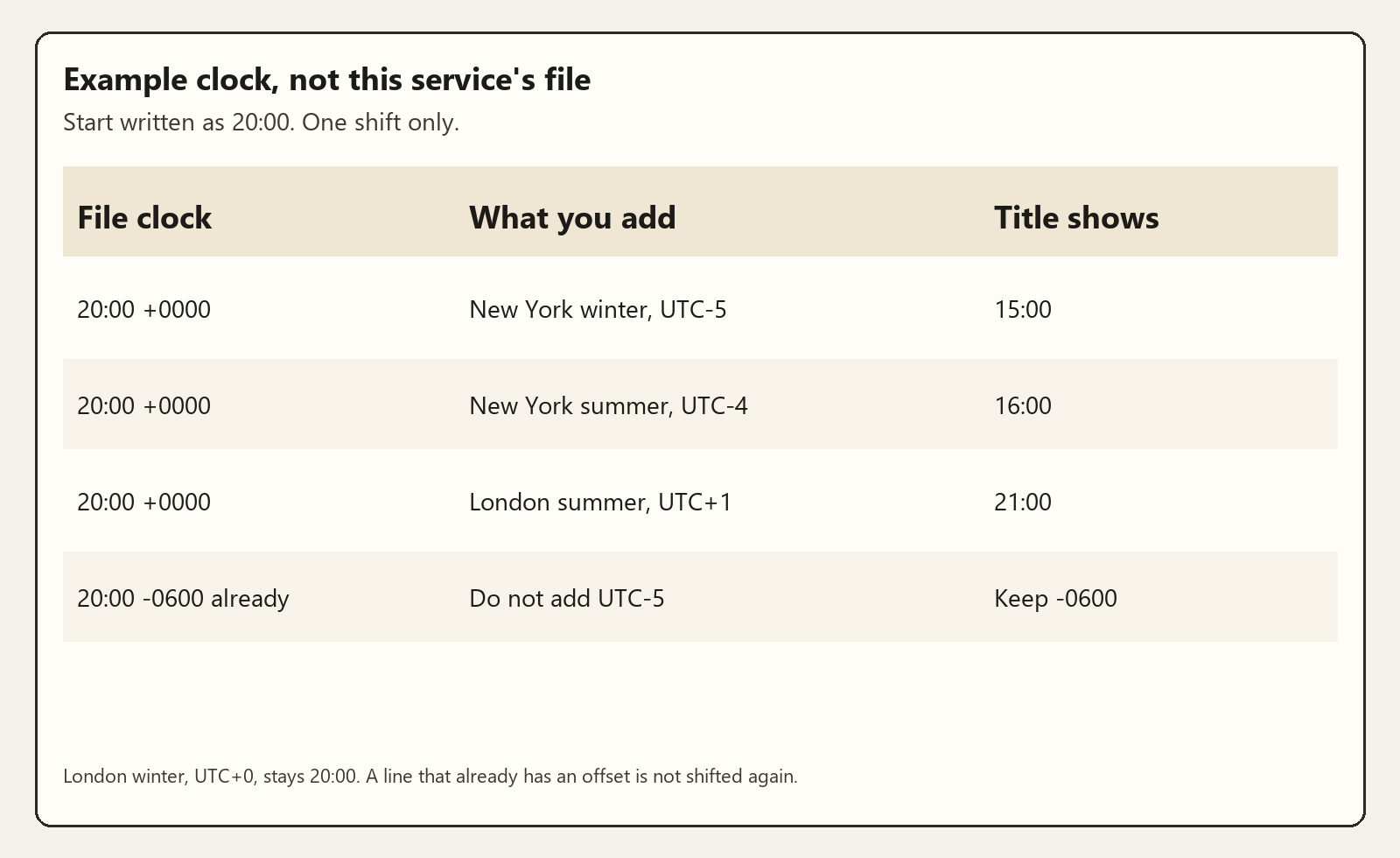
These figures show how one written hour converts. They are not a measurement of the guide file on your subscription.
Set the player to the household zone once. Refresh once. Read one programme you can identify. When that title sits on the hour you expected, stop. When every title is early or late by the same number of hours, write that number down. A line that already carries an offset, such as -0600, already states its clock. Adding UTC-5 on top of that line moves the title a second time. If the player does not show the raw offset, change only the household zone, and change it once.
One blank name is a different fault
Look at the rows beside the empty one. If those rows have titles, the guide arrived. The empty row is one channel whose name in the lineup does not meet a programme line. In an XMLTV file the programme points at a channel id. Write down the blank channel's name and leave the filled rows alone.
Bringing in another guide file attaches a second set of evenings to names that were already correct. The blank name still needs the id that belongs to this subscription's lineup. Send that name with the note at the end of this page.
Read the grid only after refresh finishes
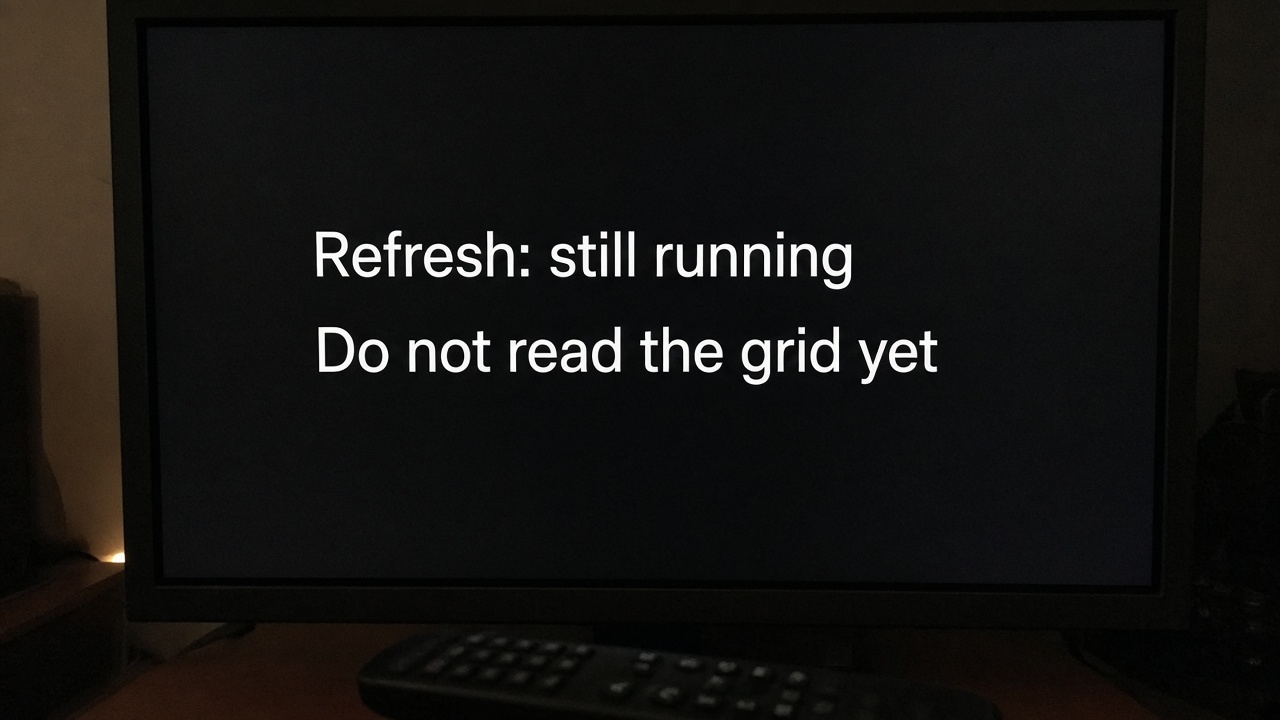
A guide that is still loading can look empty. Wait until the player marks the refresh finished. If there is no progress line, let one load finish before you decide the titles are missing. A second refresh started on top of the first hides which load you are looking at.
Then open the same channel name on the phone and on the television, in the same minute, after both loads have finished. Titles on the phone and an empty grid on the television mean you stay with that television. The guide that came with the subscription has not loaded on that set. Both screens empty means you stop changing the television. The shared guide source is what failed to arrive.
Where this fix stops
A playlist found online does not fill these titles, and it is not permission to watch the channels named on it. Changing the network address does not write programme names. A full grid does not show that you may watch the channel. That depends on the service and where you watch. This page is not legal advice.
If you have not paid, run the same two checks on the television you will keep, at the hour you usually watch. What the trial includes, the price, and the number of screens are on the page you accept. A channel count printed on a plan card does not fill a blank row.
When you ask for help, send the note you already wrote: picture playing or still, one channel name, the hour you expected, the hour the grid showed, and whether the refresh had finished.
Common questions
Does iptv epg not working mean the channel is down?
No. A missing or shifted guide is a titles problem. The picture can keep playing on the same channel. Write down whether the picture is moving before you change the guide settings.
The picture plays and the grid is empty. What should I write down?
Write "picture playing" and "guide empty" for one channel you know by name, on the television you watch. That pair means the stream arrived and the titles did not. Leave the picture quality where it is while you check the guide.
Why do the titles sit on the wrong hour?
The file's clock and the household zone are out of step. An example start of 20:00 +0000 stays 20:00 in London in winter. It shows 15:00 in New York in winter and 16:00 in New York in summer. Those figures are an example, not a reading from this service's file.
The file already shows an offset. Should I add my time zone as well?
No. An offset already written on the line, such as -0600, is that line's clock. Adding UTC-5 on top moves every title a second time. If the player hides the raw offset, change the household zone once, refresh once, and read one programme you can identify.
One channel has no title and the channels beside it do. What does that mean?
The guide arrived. That one name in the lineup does not meet a programme line. XMLTV points each programme at a channel id. Write down the blank name and leave the filled rows alone.
Can I judge the grid while refresh is still running?
No. A load still in progress can look empty. Wait until the player marks it finished. If there is no progress line, let one load finish. Starting a second refresh on top of the first hides which load you are reading.
The phone shows titles and the television does not. Which screen do I change?
Stay with the television. Compare the same channel name in the same minute, after both refreshes have finished. Titles on the phone mean the subscription's guide exists. The empty set is the screen that has not loaded it.
Both screens stay empty after refresh finishes. What next?
Stop changing the television. Both screens waited on the same guide source, and that source did not arrive. Further display settings on the set will not create titles the subscription did not send. Send the channel name and the finished-refresh note.
Does updating the player add the missing titles?
An update from that device's store replaces the app. The titles still have to come with the subscription. Use the store that belongs to the device. Skip install files offered outside that store, and skip a second app installed only to hunt for a guide screen this player does not have.
Will a guide file I found online fill the blank rows?
No. Another file can put the wrong evening on names that were already correct. It is also not permission to watch the channels it names. A single blank name needs the channel id from this subscription's lineup.
Does a full grid show that I may watch the channel?
No. Titles on the grid are names and hours. Whether you may watch depends on the service and where you watch. This page is not legal advice.
A plan card lists a large channel count. Does that fill the guide?
No. A number printed on a plan card is not a title in a row. Read the grid on the television you will keep. Price, trial terms, and screen count are on the page you accept, and those details can change.
What belongs in the note if I ask for help?
Five lines are enough: picture playing or still, one channel name, the hour you expected, the hour the grid showed, and whether the refresh had finished. That note is more useful than a second pass through the same settings.